写入失败,会明确提示Save errors are reported
遇到磁盘忙、空间不足等错误时,Cove 会提示保存失败,保留待保存内容并自动重试。If the disk is busy or full, Cove reports the failed save, keeps pending edits, and retries automatically.
Cove · Mac 笔记应用Cove · Notes for Mac
好的笔记应用,既要好写,也要把数据保护好。 Cove 把数据安全放在首位,同时做好编辑体验和性能。A notes app should make writing easy and protect what you write. Cove puts data safety first, alongside editing and performance.

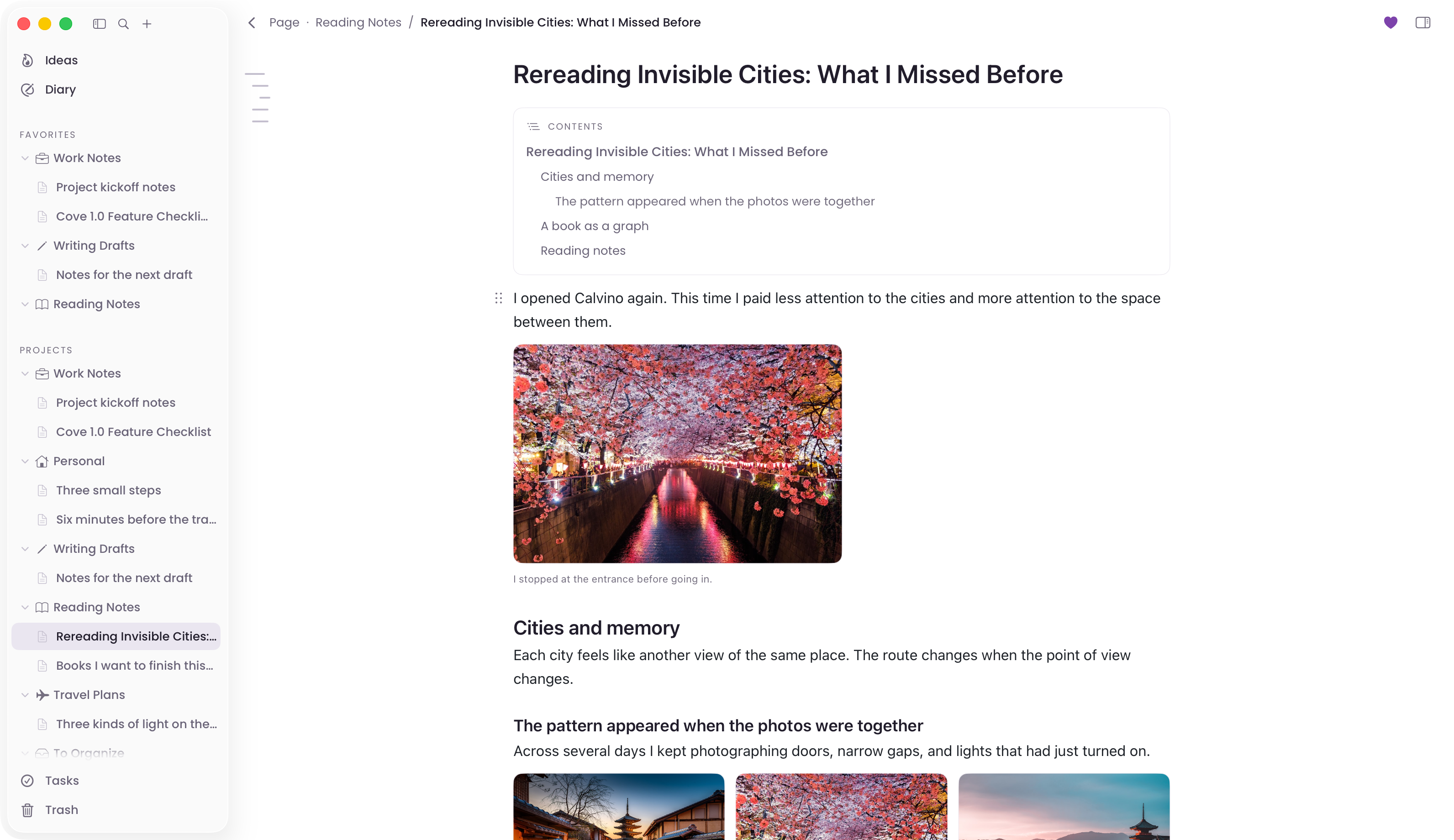
保存与恢复Saving and recovery
写入失败、误删、数据库损坏,都可能导致内容丢失。 Cove 分别处理这些问题,用独立版本历史和校验备份提供恢复途径。Failed saves, accidental deletion, and database damage can cause data loss. Cove addresses each with independent version history and verified backups.
本地保存之外,还有历史和备份。Local saves, history, and backups.
保存、版本历史和备份相互独立。 一个环节出错时,仍可能从其他副本恢复。Saving, version history, and backups are independent. If one fails, another copy may still be available.
遇到磁盘忙、空间不足等错误时,Cove 会提示保存失败,保留待保存内容并自动重试。If the disk is busy or full, Cove reports the failed save, keeps pending edits, and retries automatically.
编辑期间,以及删除、恢复或同步覆盖前,Cove 会保存内容副本。 版本历史存放在独立数据库中。Cove keeps copies during editing and before deletion, restoration, or sync replacement. Version history uses a separate database.
备份经过完整性检查与文件校验,再轮换旧备份。 新备份失败,已有备份继续保留。New backups pass database and file integrity checks before older backups rotate. A failed backup leaves existing ones in place.
启动时检查数据库。 发现数据损坏或版本异常时停止写入,避免继续改变仍有机会恢复的内容。Database checks run at launch. Damage or incompatible versions stop further writes, protecting data that may still be recoverable.
开启 iCloud 同步后,可以在多台 Mac 上访问笔记。 Cove 按内容块处理不同设备的修改,分别协调文字和顺序,减少整篇覆盖带来的数据丢失风险。Enable iCloud sync to access notes on multiple Macs. Cove handles changes block by block, reconciling content and order separately to reduce data loss from whole-note replacement.
同步由你开启。 笔记通过你自己的 iCloud 私有数据库同步。Notes sync through your private iCloud database. You choose whether to turn sync on.
分别协调内容修改与排列顺序。 同一内容块发生冲突时,按一致规则决定保留版本。Content edits and ordering are reconciled separately. Conflicting edits to the same block follow a consistent version rule.
同步覆盖前保存原有版本。 资料库还可以独立备份,便于出错后恢复。Version history precedes sync replacement. Independent backups add protection for the whole library.
随手记下几句话,或者写一篇长文,都使用同一个编辑器。 支持文字、图片、代码、引用和清单,内容可以继续补充和整理。Use the same editor for a few quick lines or a long article. Add text, images, code, quotes, and checklists, then revise and organize them as needed.
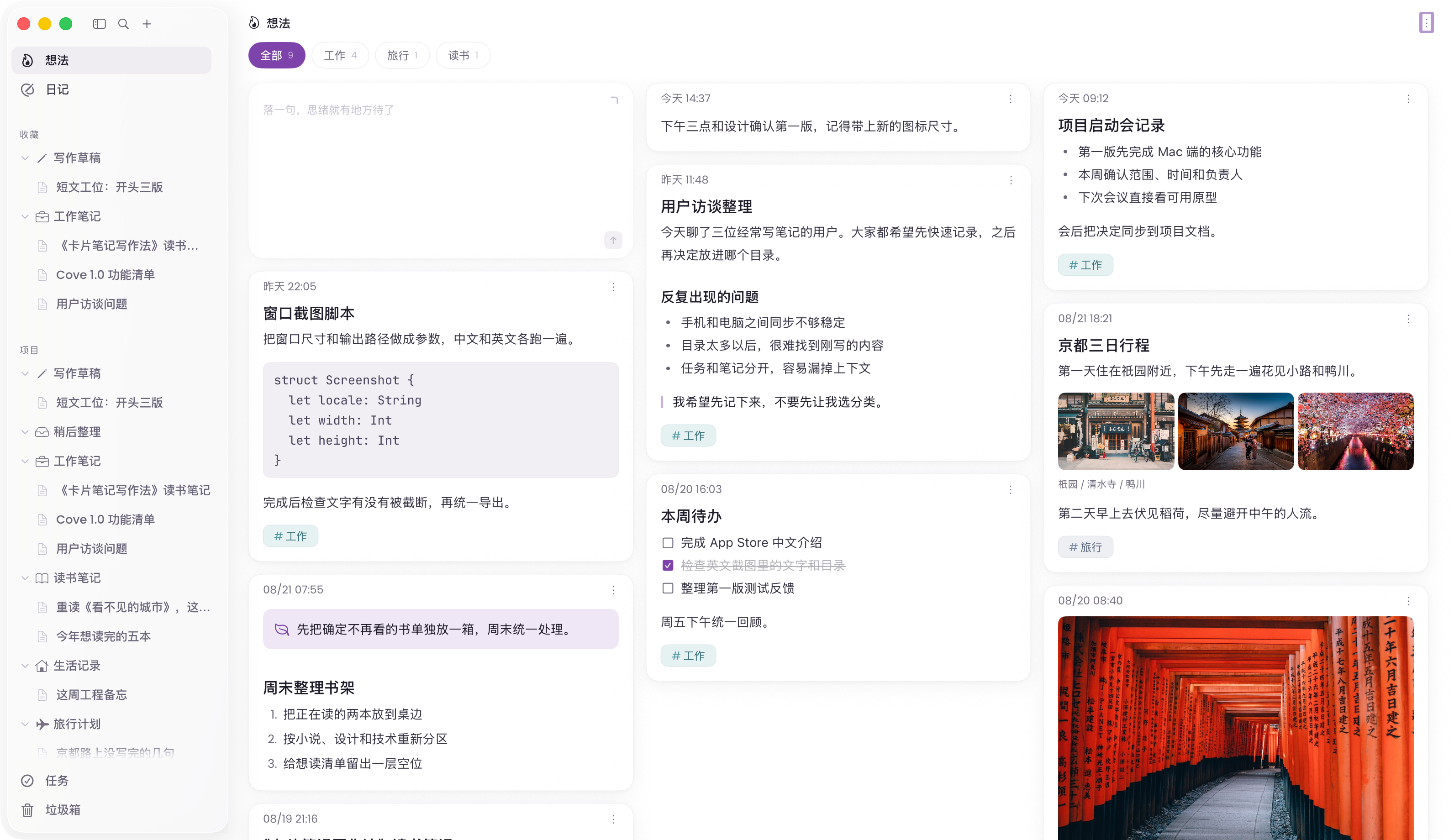
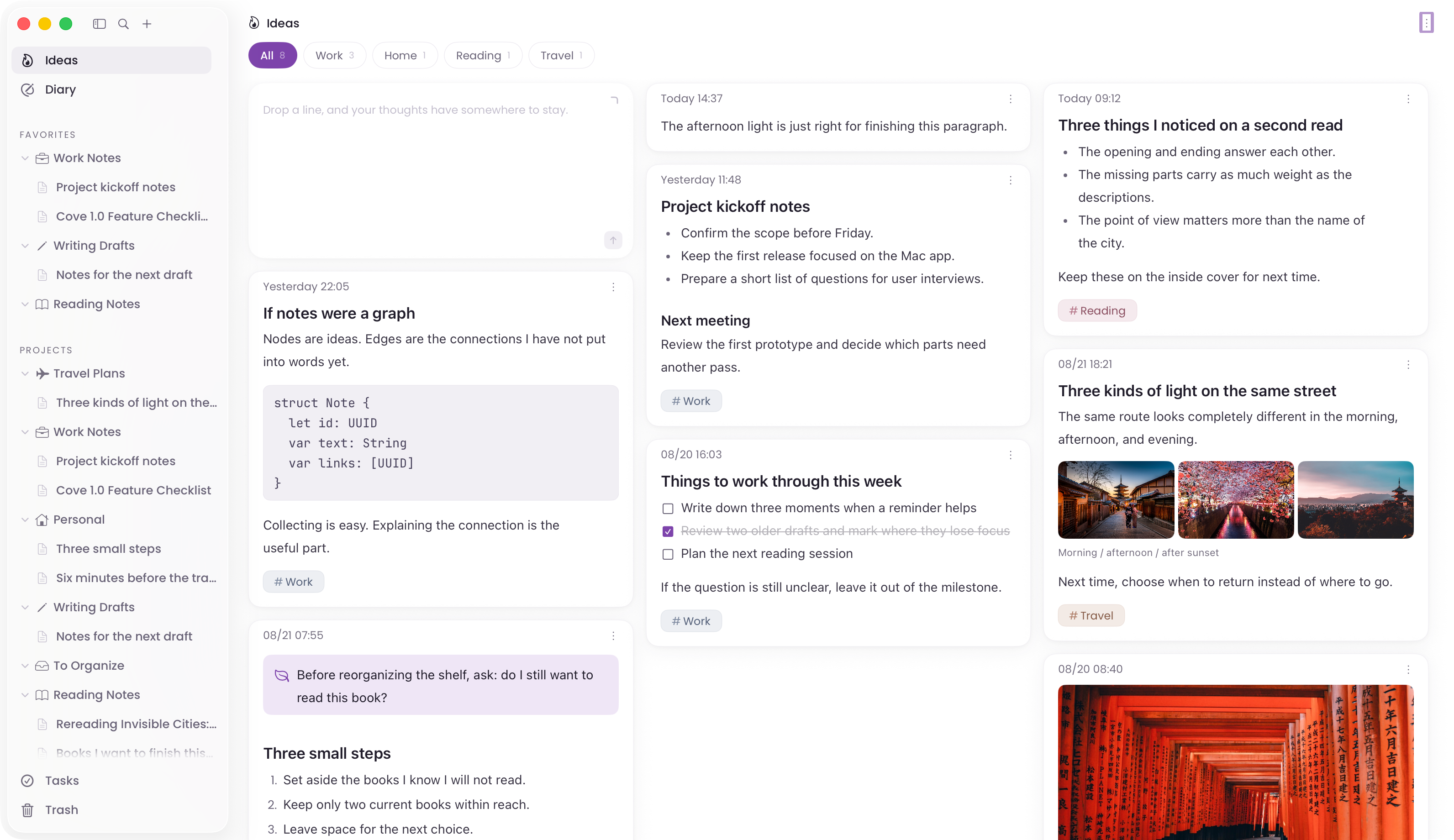
记录时不必先建好目录。 已有的笔记可以继续编辑,也可以整理成文章。You do not need to set up folders before writing. Return to a note to edit it or develop it into an article.
性能优化Performance
长文的渲染和输入、几十万文档的目录浏览,都是 Cove 的性能优化重点。 目标是让内容变多之后,日常使用仍然流畅。Cove focuses on long-document rendering and typing, plus browsing libraries with hundreds of thousands of documents. The goal is responsive everyday use as content grows.
针对长篇内容优化渲染与布局,减少阅读和滚动时的卡顿。Rendering and layout are tuned for long documents, with continuous scrolling and reading in mind.
减少每次输入触发的额外处理,避免无关内容反复刷新。Reduce extra work on each keystroke and avoid repeatedly updating unrelated content.
目录按可见区域呈现,配合分页与有限缓存,为几十万文档规模持续优化。Visible rows, paginated loading, and bounded caches are the foundation for optimizing libraries at a scale of hundreds of thousands of documents.
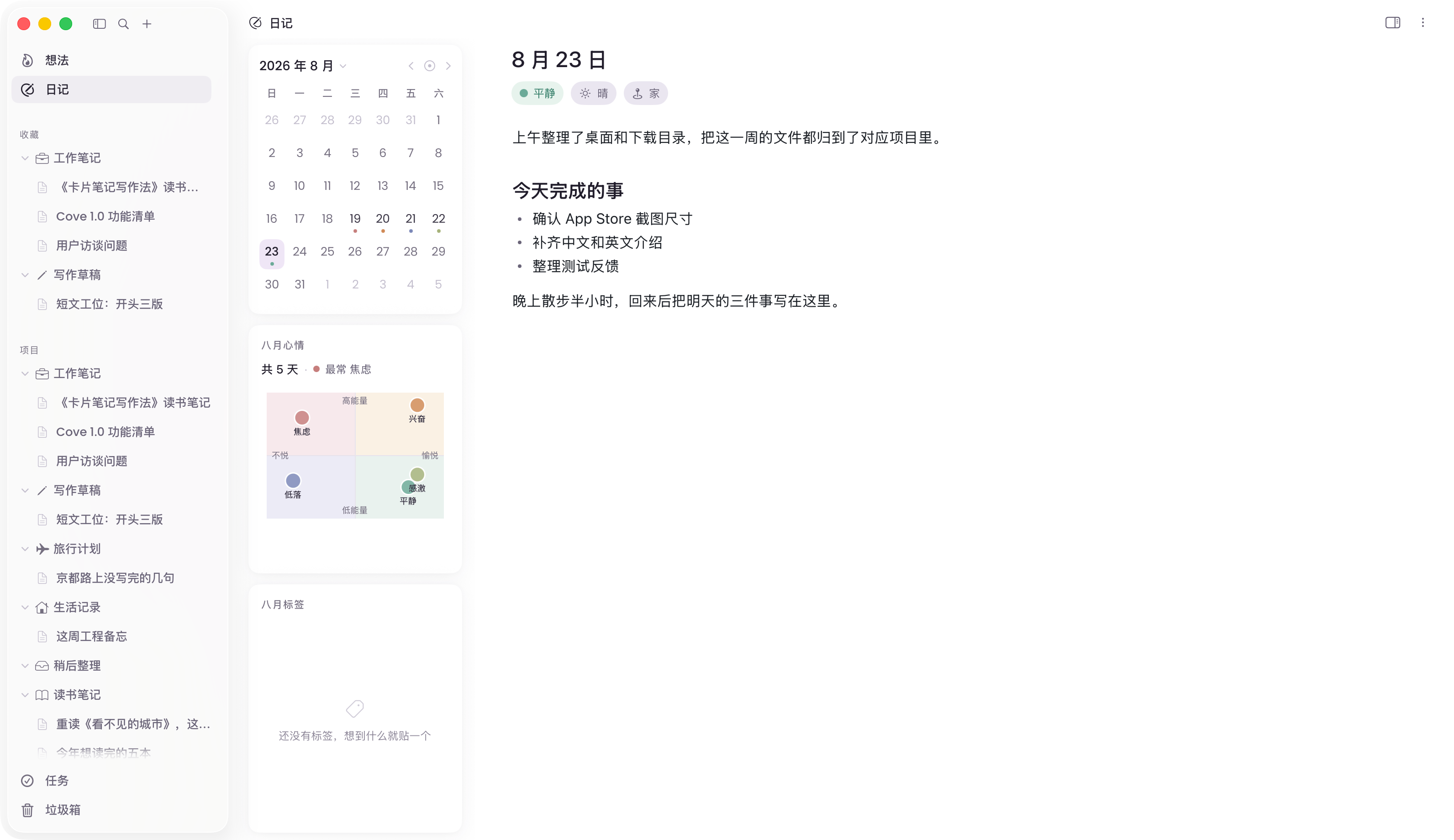
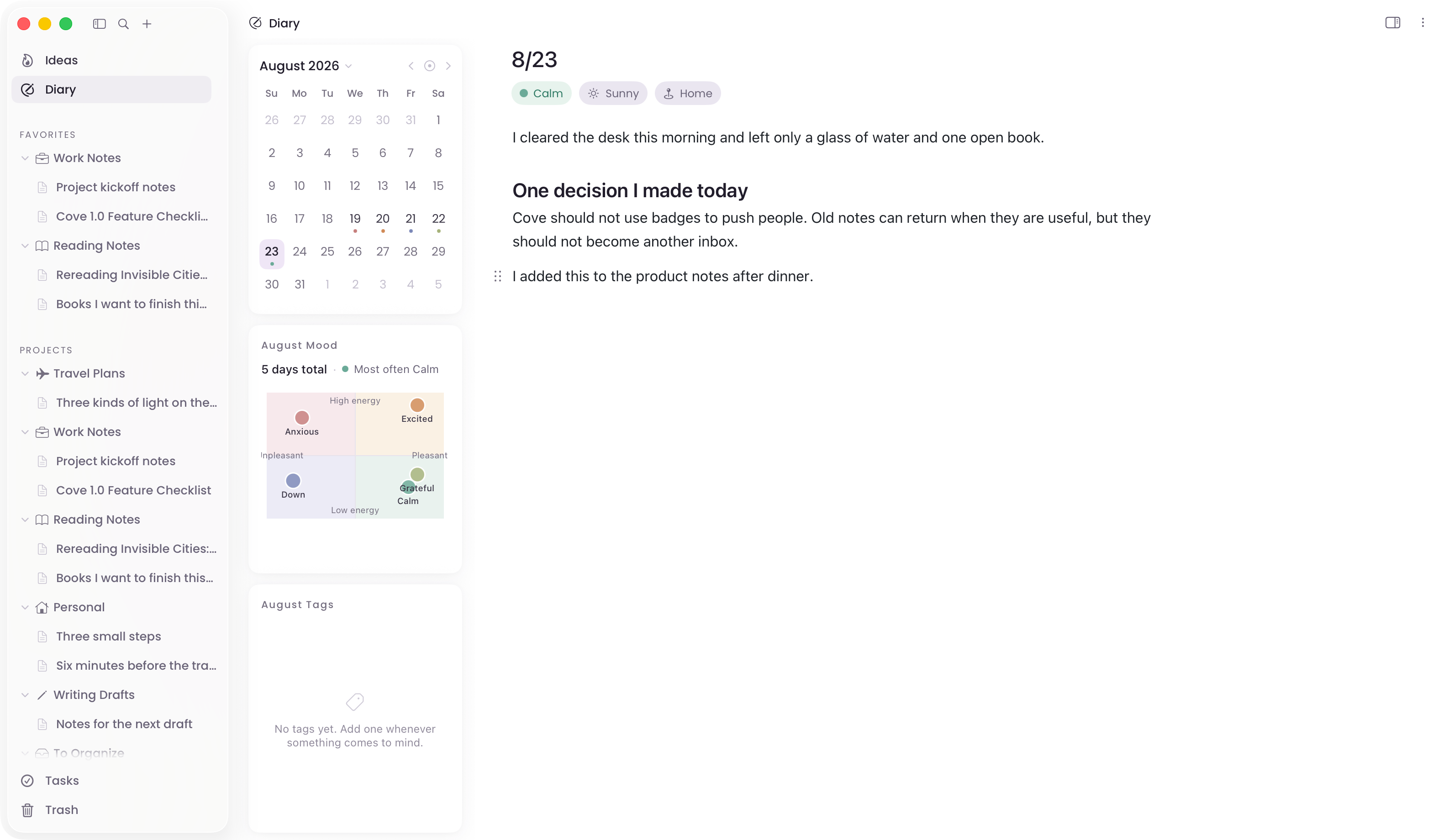
用日历查看和整理日记。 可以记录心情、天气,也可以只写正文。Browse journal entries by date. Add mood and weather, or just write the entry.
目前提供 Mac 版。 未来还会支持 iPhone 和 iPad,具体上线时间尚未确定。Cove is currently available for Mac. iPhone and iPad support is planned; release dates have not been set.

已在 Mac App Store 上架。Available on the Mac App Store.
在 Mac App Store 下载Get Cove for Mac